WindowSMART 2015
Disk failures destroy data. Disk failures are expensive. Protect your data and cut costs with WindowSMART 2015!
WindowSMART is designed for businesses and power users
Unexpected disk failures are expensive. Lost data, employee downtime, an emergency service call and forensic data recovery are all expensive costs that eat away at your bottom line--the average per-incident cost to a business for an unexpected drive failure is $2900 USD. With WindowSMART 2015, you get early notification that disks are having problems so you can take corrective action before disaster strikes. Back up the data, schedule a service call when its convenient and most importantly, save money.
WindowSMART 2015 integrates seamlessly into the enterprise. Centrally configure end-user computers with WindowSMART's Active Directory template and monitor those computers with the WindowSMART management pack for Microsoft System Center. WindowSMART is even available in a lightweight client version if you want to monitor computers without giving users the full UI.
Since compatibility is often a concern of system administrators when deciding whether or not a tool is suitable to be deployed in a corporate environment, we've taken the guesswork out of that. WindowSMART 2015 passed the Microsoft designed tests for compatibility, stability and reliability and is authorized to display the Windows 10 Compatible, Windows 8 Compatible and Compatible with Windows 7 logos.


Click here for screenshots. Still have questions? Check out our FAQ!
Powerful features don't mean complicated features
WindowSMART was designed not only to be powerful, but simple to use as well. A simple user interface shows you everything you need to know about your disks in a single view. Large buttons and icons make it easy to perform essential tasks. Even the licensing is simple. Buy just one home license, and all the computers in your home are covered.
Most importantly, however, is that WindowSMART is a set-it-and-forget-it tool. Set it up the way you want, and it'll take care of the rest. Even if nothing is wrong, WindowSMART can send you a daily email just to tell you everything is okay.
If you're not sure if WindowSMART will run on your home PC, we want you to rest assured that WindowSMART will install and run smoothly. We ran WindowSMART through Microsoft's desktop app certification tests for compatibility, stability and reliability, and WindowSMART passed them all. WindowSMART is thus authorized to display the Windows 10 Compatible, Windows 8 Compatible and Compatible with Windows 7 logos.
Click here for screenshots. Still have questions? Check out our FAQ!
Powerful features that keep your data safe
While it is impossible to prevent disk failures, WindowSMART 2015 keeps your data safe by always keeping you aware of disk health problems and backing up your data if a serious problem arises.
- Continuous monitoring - if the computer is on, WindowSMART is working
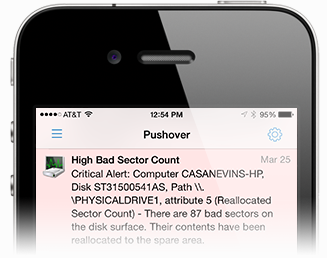
- Get alerted the moment a problem is detected by email and on your mobile device
- Emergency backup if a disk failure condition is detected
- Thermal shutdown if disks remain too hot for too long
- Daily email summary lets you know if any problems occurred that day
- Compatible with most laptops and desktops running Windows
- Seamless integration into the Active Directory-based enterprise
- Monitor WindowSMART alerts on computers with Microsoft System Center
Cut costs and extend the life of your equipment with WindowSMART
WindowSMART 2015 isn't just a system utility. It's a cost-cutting tool. Unexpected disk failures are expensive, so WindowSMART can help you rein in those unwanted, unplanned expenses.
- Reduce or eliminate costs associated with unexpected drive failures
- Prolongs life of equipment by protecting against overheating
- Backs up your data in a failure situation, even if you're not there
- Allows you to replace a troublesome disk at your convenience
- Simplify management with centralized configuration and reporting
- Reduce footprint on embedded devices with the lightweight client
- Reduce end-user support calls to the helpdesk

Geeky, technical stuff about WindowSMART 2015
WindowSMART 2015 is supported on all versions of Windows, starting with Windows XP Service Pack 3 and later. This includes Windows 10, Windows 8/8.1, Windows 7 and Windows XP. For servers, this includes Windows Server 2012 R2, Windows Server 2012, Windows Server 2008 R2, Windows Server 2008 and Windows Server 2003 (SP-2 or later).
WindowSMART will work with most laptops and desktops. If you bought your computer at a store such as Best Buy, Fry's, Walmart, etc., chances are WindowSMART will run just fine. However, if you have a server, high-end gaming desktop or a computer you built yourself, WindowSMART might not work with it, particularly if you are using hardware RAID. WindowSMART does not work with most hardware RAID controllers, particularly if the disks are configured in a RAID array. If you're not sure if WindowSMART will recognize your disks, install the trial version. If you see question marks next to the disks, then WindowSMART may not support them. Always ensure you have the latest drivers installed. Sometimes a simple drive update resolves the problem.
WindowSMART 2015 requires the Microsoft .NET Framework 4 Full to be installed.
We will no longer support Windows XP and Windows Server 2003 after December 31, 2015.

WindowSMART 2015 Screenshots
-
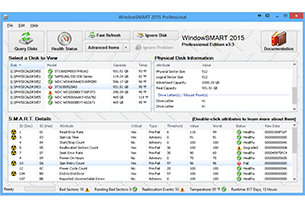
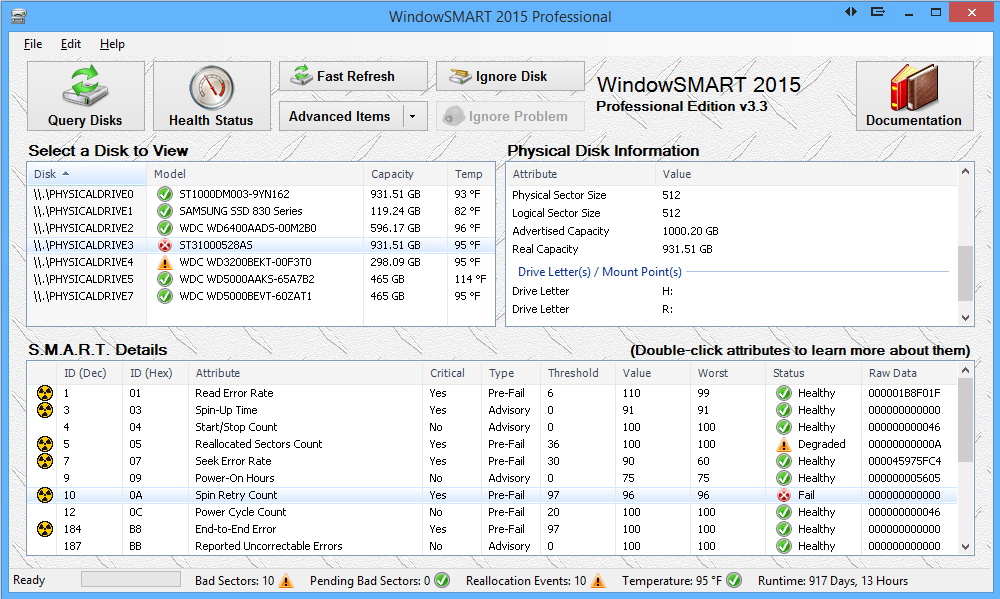
Client UI with Failing Disk in Windows 8
If you're running Windows 8, WindowSMART 2015 works, even if you use Windows 8's new Storage Spaces feature.
-
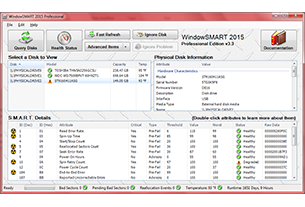
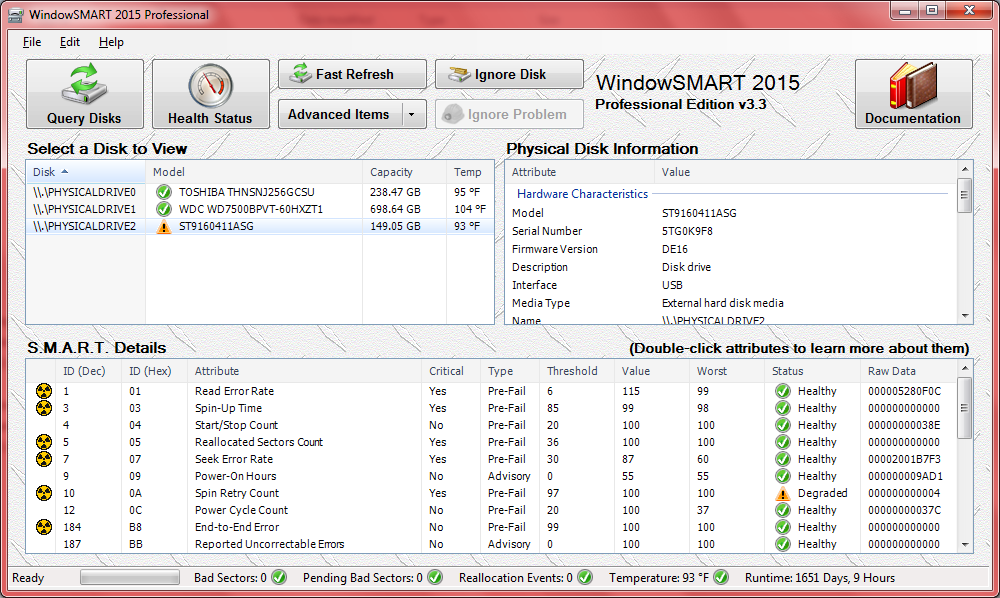
Client UI in Windows 7
Here's a picture that most users would probably want to see. All of the disks here are healthy!
-
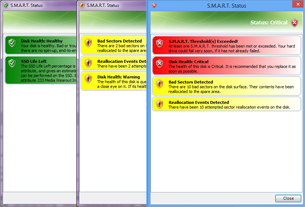
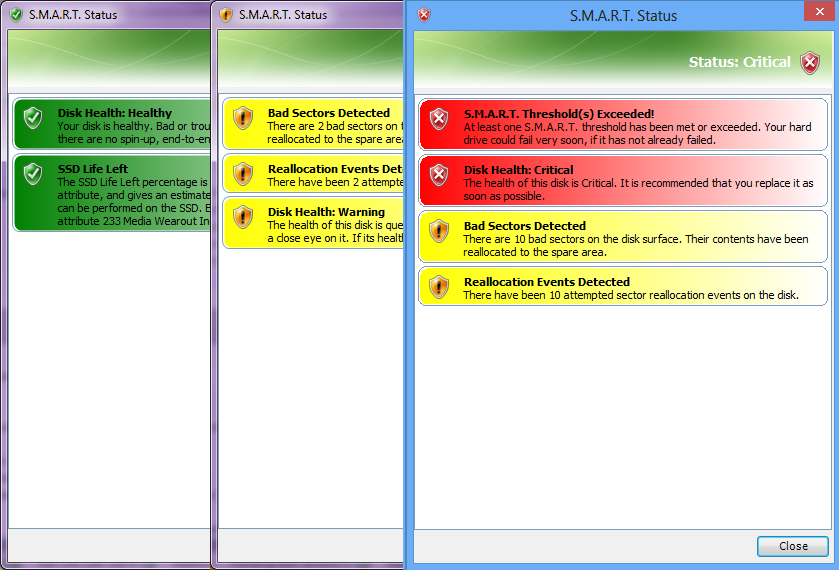
Disk Health Status
If you want an at-a-glance view of a disk's health status without scrolling through the list of attributes, just click the disk and then click Health Status.
-
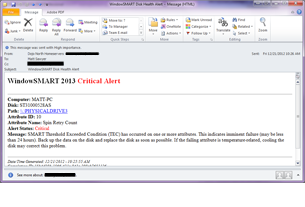
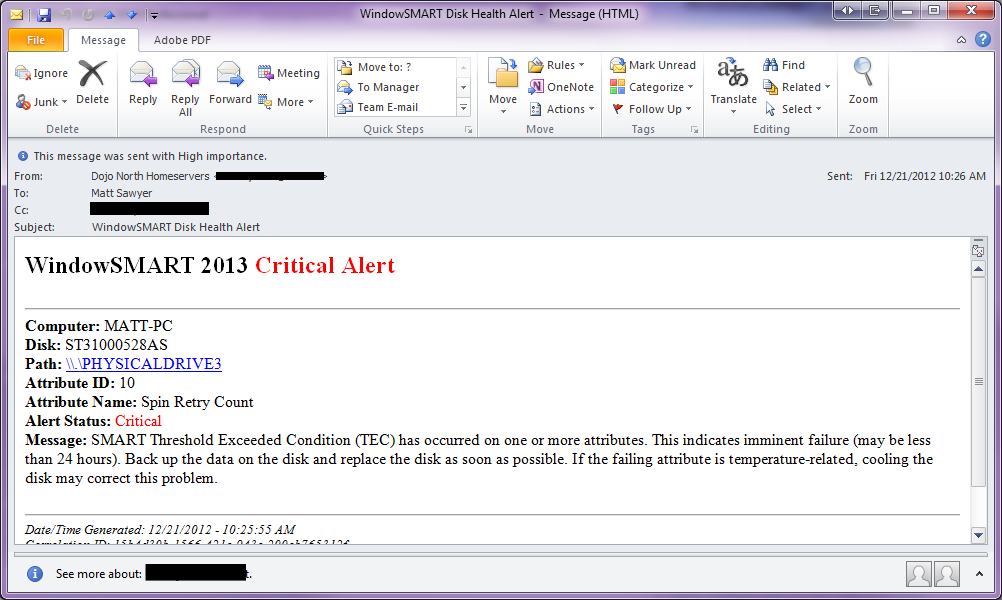
Email Alert
If you have an email account, you can receive disk health alerts in your inbox! WindowSMART sends you a daily summary too, even if all is well.
-
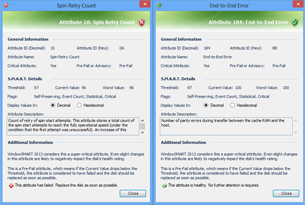
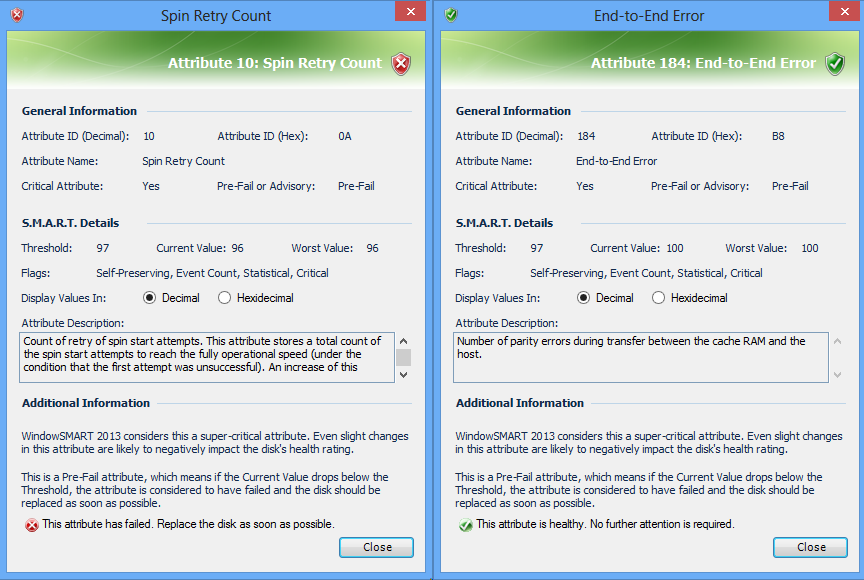
Attribute Status
If you ever wondered what the SMART attributes mean, you can click on any of them for a detailed explanation.
-
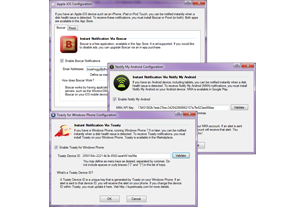
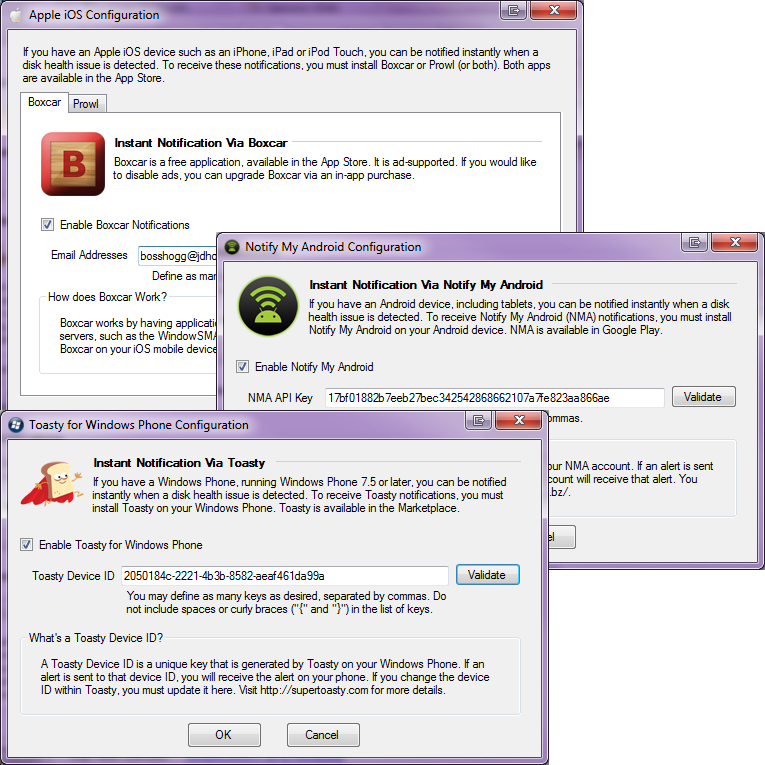
Setting Up Mobile Alerts
If you have an iPhone, iPad, Android phone or tablet or Windows phone, you can have instant disk health alerts delivered to your mobile device.
-
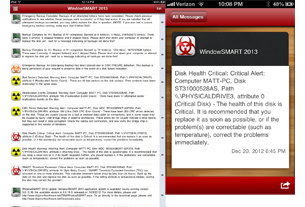
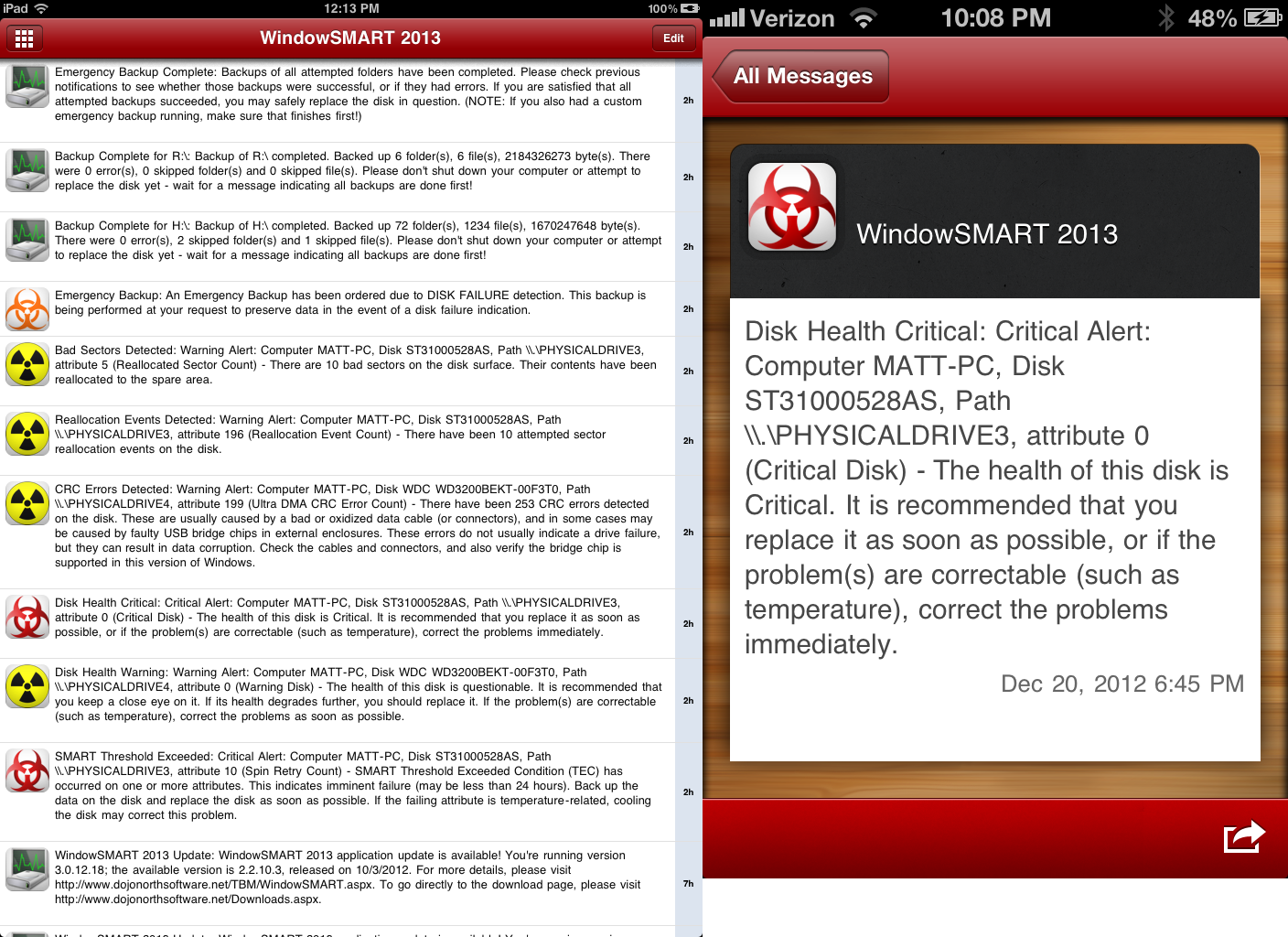
Mobile Alerts on Apple iOS Devices
Above are sample alerts received on an iPad and an iPhone 4S. The examples above demonstrate the Pushover client. You may also use the Prowl.
-
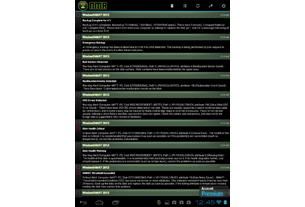
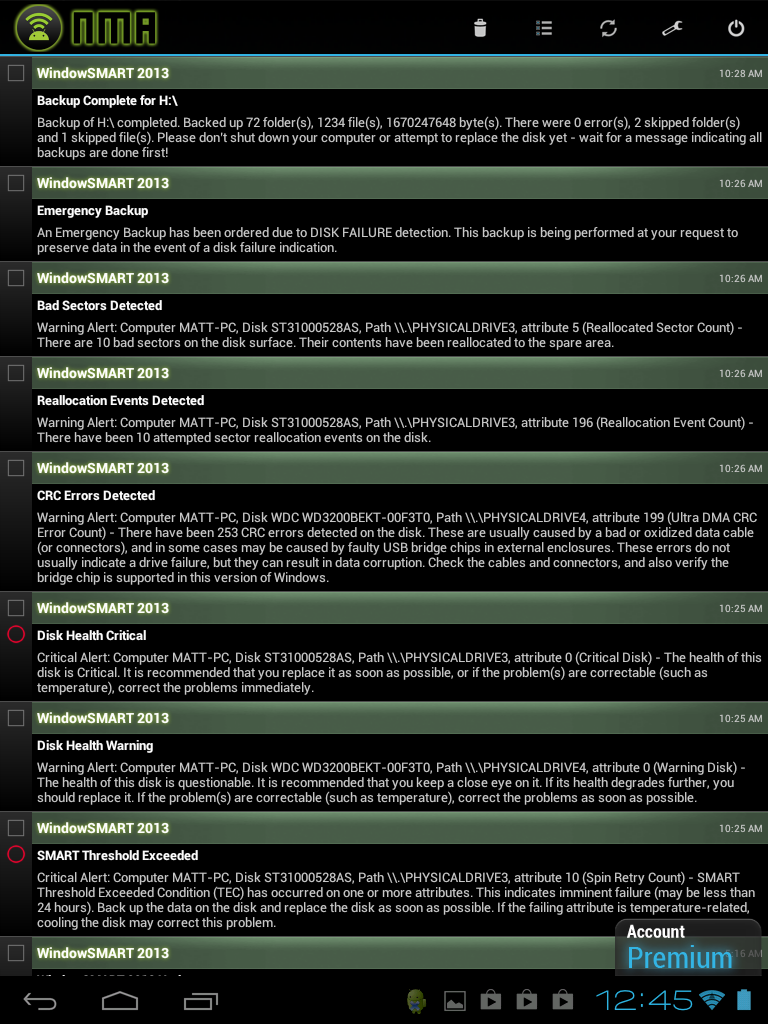
Mobile Alerts on Android Devices
Above are sample alerts received on an HP TouchPad running Android (Kitkat). This example demonstrates Notify My Android.
-
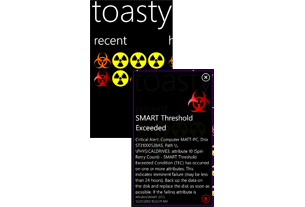
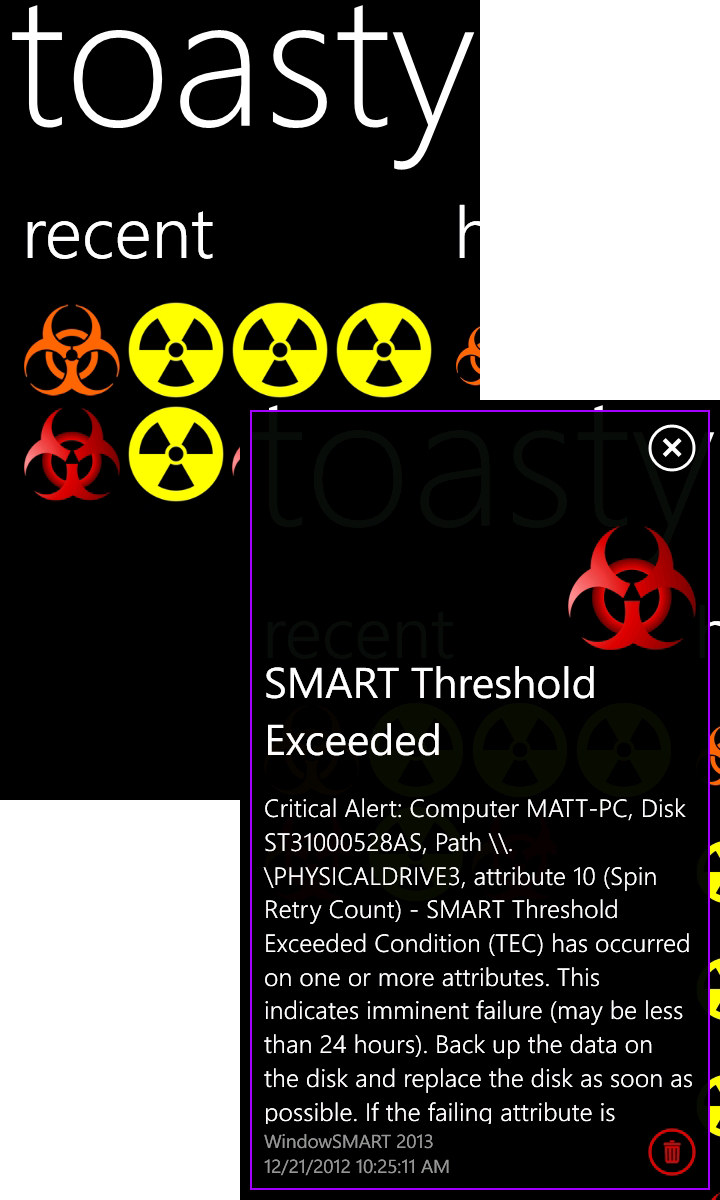
Mobile Alerts on Windows Phone
Above are sample alerts received on an LG Quantum phone running Windows Phone 7.5 These examples demonstrate Toasty.
-
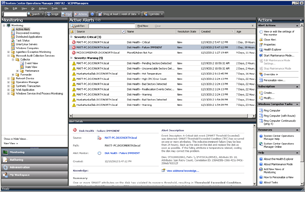
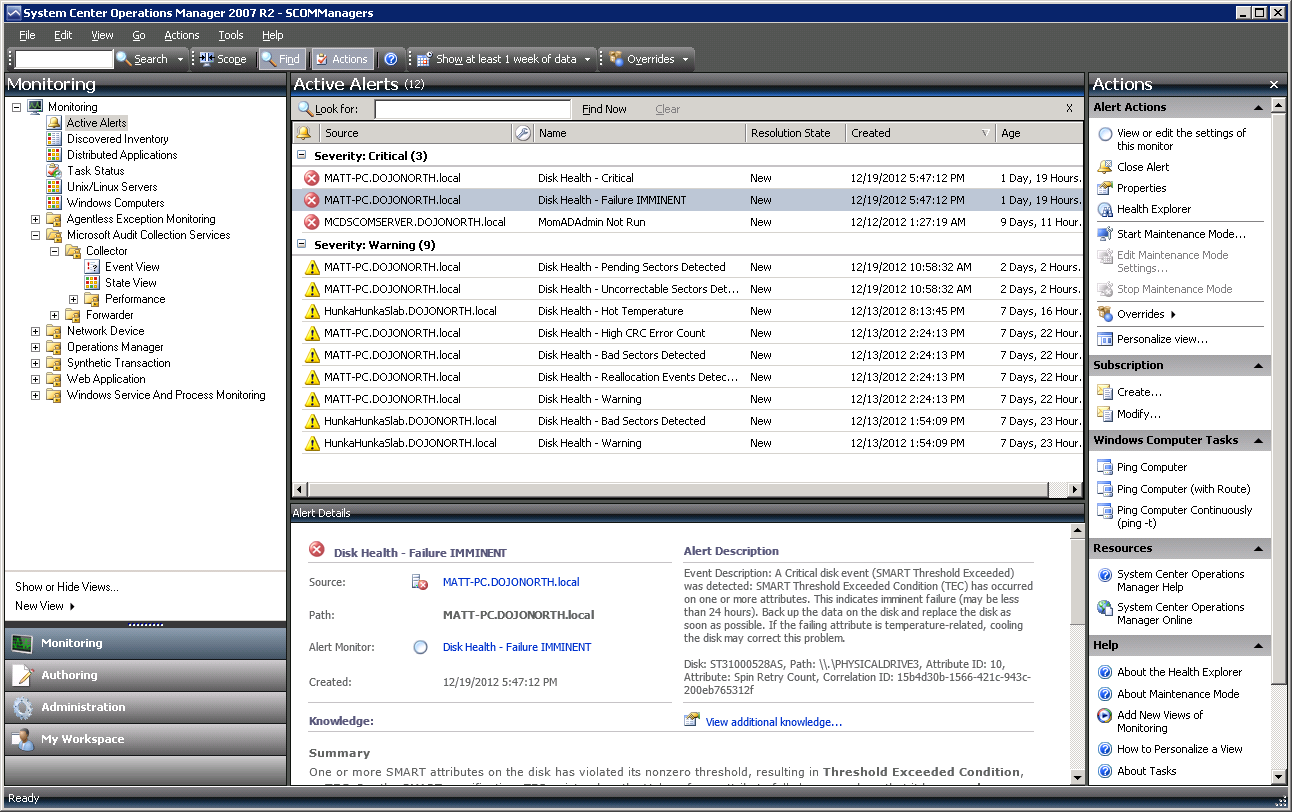
System Center Operations Manager Alerts
If you run Microsoft SCOM 2007 R2 or later, you can deploy the WindowSMART 2015 management pack to receive disk health alerts in SCOM.
-
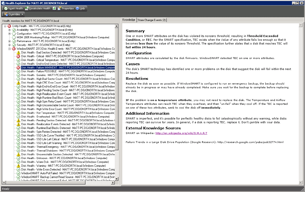
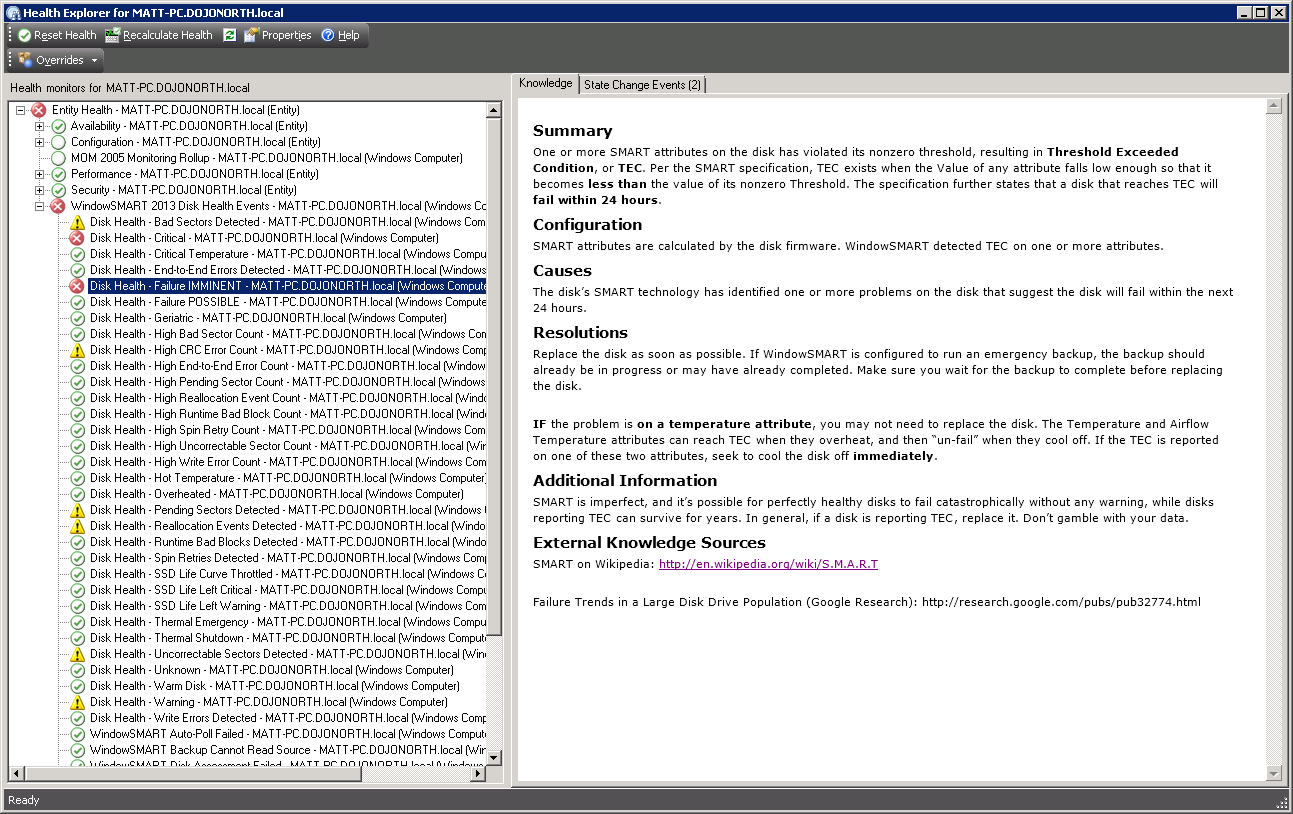
System Center Health Explorer
The WindowSMART 2015 SCOM management pack doesn't always raise alerts. Some events only change a computer's health status.
-
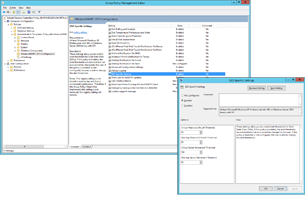
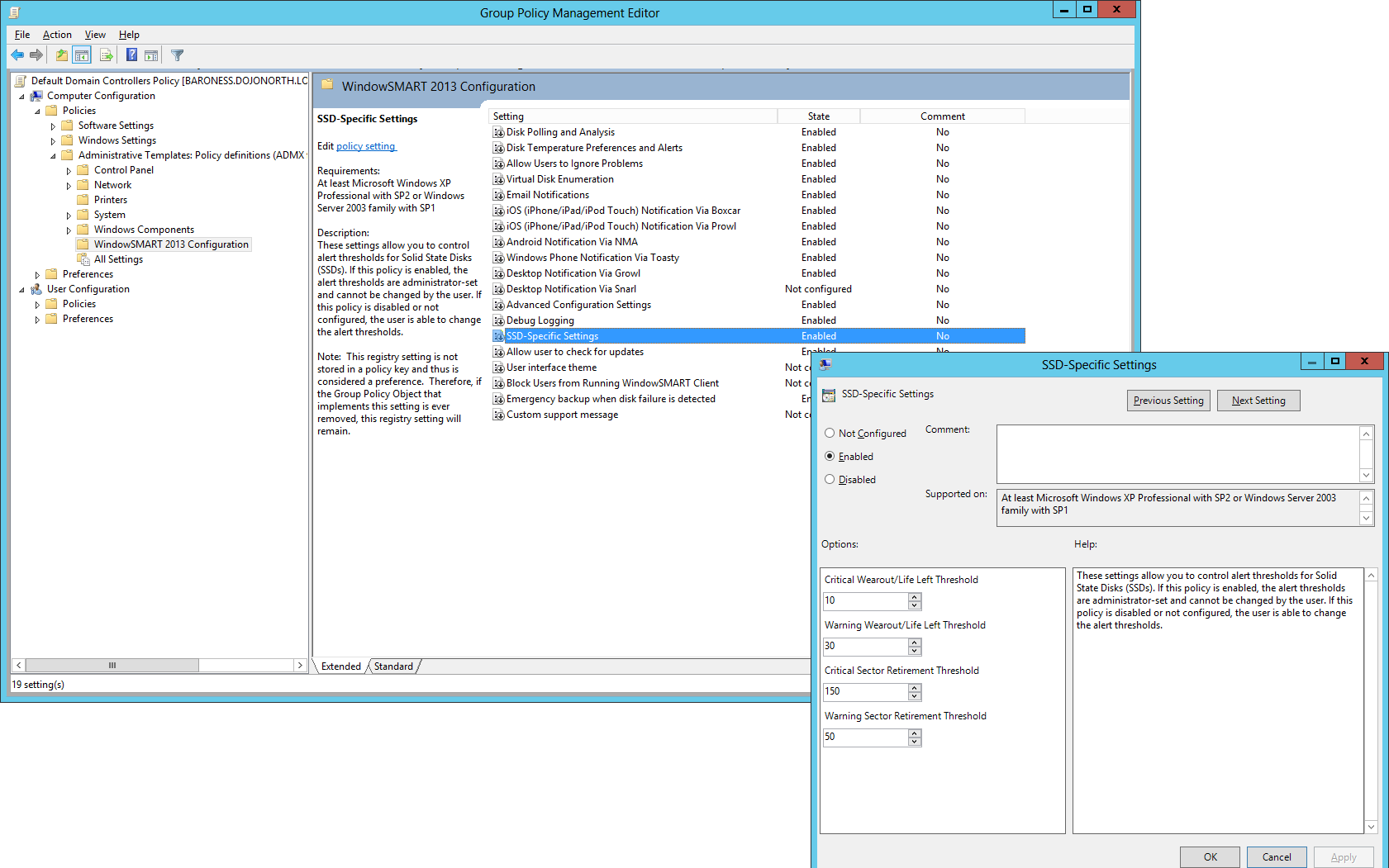
Deploying Configuration via Active Directory
If you want to centrally manage WindowSMART's configuration, you can with Active Directory policy templates, available in ADMX and classic ADM.